This is from Mecway - commercial preprocessor for CalculiX. But in PrePoMax 2.4.0 you can apply equation-based nonuniform distributed (pressure) loads too: Bearing load distribution
I will share some example later.
This is from Mecway - commercial preprocessor for CalculiX. But in PrePoMax 2.4.0 you can apply equation-based nonuniform distributed (pressure) loads too: Bearing load distribution
I will share some example later.
Thanks for the tip. I read that post, but I haven’t yet figured out how to do this directly in PrePoMax using the parameter editor. This approach requires additional checking of the sum of the reactions from the edges.
I haven’t tried the Imported Pressure option either.
/ I’m not a programmer. I’m probably too old for Salome and other inventions  /
/
I think the easiest approach is to apply concentrated forces. Although even that will turn out to be the force hitting the RigidBody.
I’ve been following PrePoMax, this forum, and your YouTube videos for years. I admire your community. I don’t have much time, but I’ve already seen Mecway.
However, I’m interested in the editor. I’ll get around to it someday 
I’m using Mecway but solver is Calculix. I’m more used to it and I found that for testing purposes I’m faster.
You don’t need to check reactions at the support area if you don’t want. You can set up a Coupling Distributig and let ccx to distribute the Moment for you (Distributed is not implemented in Prepomax and you need custom cards. It actually works only with solids).
Mcr=4348 Kn cm with that aproach.
You could also use the hidrostatic pressure tool. It would require to previously compute the moment throught the reactions and adjust the pressure value and normalize it to 1 KN cm before sending it to the Buckling analisys.
Mesh could probably be reduced but I know this densities works properly. Reduced integration C3D8R is not suitable for Buckling analisys.
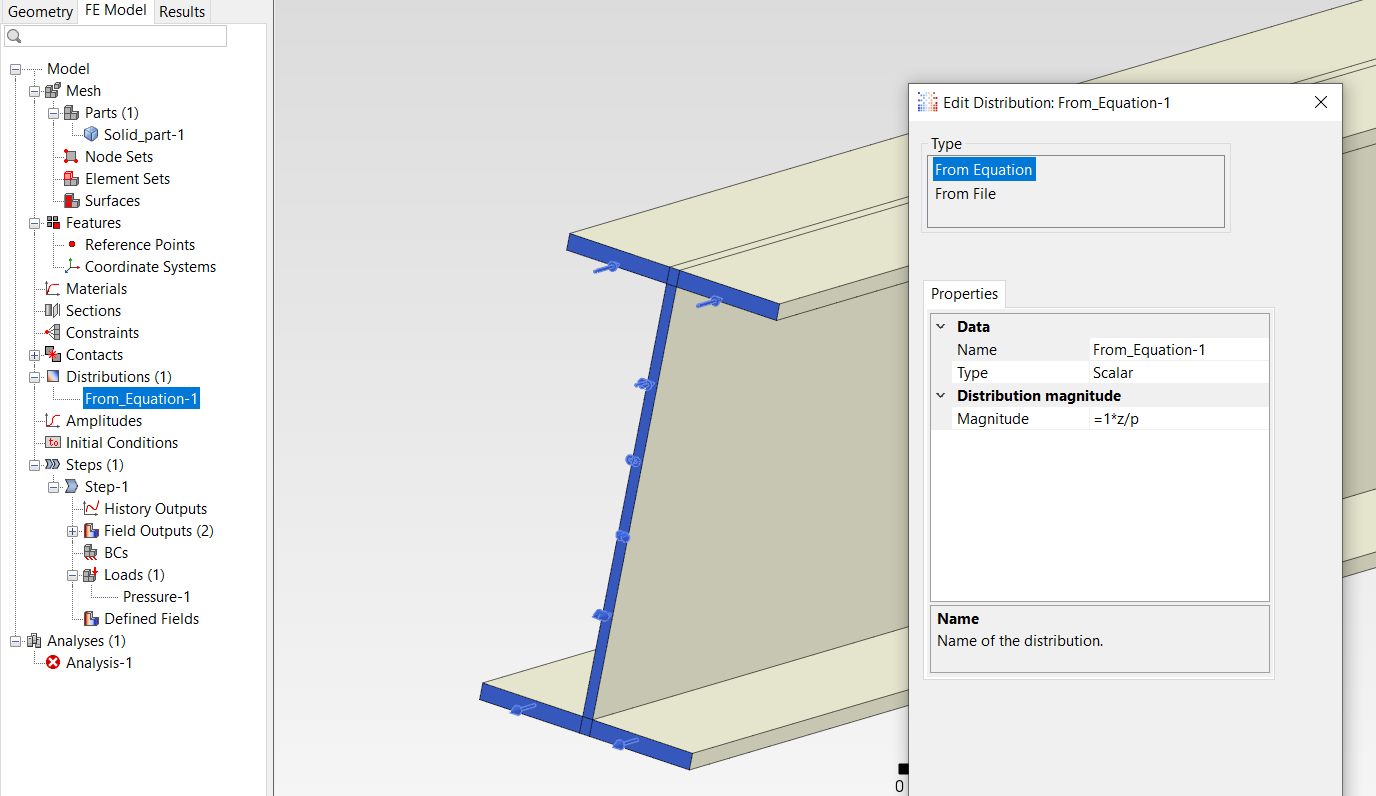
I attached a file showing how you can define such a distributed pressure load in PrePoMax, but you will need version 2.4.0 to open it:
Distributed pressure on I beam.pmx (4.2 MB)
The mesh can be too coarse - it’s just to show the pressure load definition.
Thank you very much for your help  .
.
Thank you very much for your help ..
I’m curious, how did you manage to add Distribution? This isn’t Edit CalculiX Keywords and it’s not Parameters.
There’s a constant coefficient “p” in Parameters that can be used in Magnitude =p*??;(kN/m2).
Is this from an INP file?
** Name: Pressure-1
*Dload
46001, P1, -1.84179562E+004
45801, P1, -1.84179562E+004
45601, P1, -1.84179562E+004
45401, P1, -1.84179562E+004
41601, P1, -1.77491215E+004
41401, P1, -1.77491215E+004

Distribution is defined here:
And referenced by name here:
The p constant used by it is in Tools → Parameters → Edit:
Today or during the weekend, I will share a video tutorial showing the usage of these new equation-based distributions (although with a different example).
Internally, distributions assigned to features are converted to CalculiX keyword lines specifying their spatial variation:
*Dload
11401, P1, 8396.37522921276
11201, P1, 8396.37522921276
11001, P1, 9018.32894989519
...
P1 is just a Px label used for this kind of distributed load where x indicates element face number.
In the older versions of PrePoMax 2.2, this tab wasn’t there. This is the hardest part, because the option reveals/changes the appearance of another window. I don’t think any other window works this way.
In version 2.2, you can probably create a local coordinate system and use an equation, right?
Thank you for patiently reading my texts with translation errors
Distributions were implemented in 2.4.0. They work similarly to amplitudes in terms of changing the windows. Adding manually created surfaces/sets also does this in a way.
Coordinate systems were introduced in 2.2.0, but you could also use the hydrostatic pressure load, which can be utilized to apply triangular or trapezoidal pressure distributions and has been available for a much longer time. Still, I would advise switching to 2.4.0 - it offers much more than that and has many bug fixes too.